Work faster, think bigger
Grunt AI removes manual slide work that slows teams down, so experts can spend more time on analysis, decisions, and storytelling — not formatting and rebuilding charts.
.svg)
.svg)
Create clearer, more polished, executive-ready presentations. Grunt AI helps teams turn raw data into persuasive storytelling faster — while staying accurate, consistent, and on-brand.
.png?width=1360&height=721&name=Bulk%20create%20from%20documents%20(3).png)
Move from slow, sequential slide building to simultaneous slide generation. Create dozens of data visualizations from a single Excel file in one action — reducing hours of manual charting to seconds.
Ideal for genuinely data-driven presentations.
.png?width=1360&height=721&name=Fully%20editable%20outputs%20(2).png)
Move between your own work and the AI's work, with no boundaries. All slides, charts, and presentation elements remain fully editable inside PowerPoint, so teams can refine, adapt, and finalize presentations without starting over.
Edit with AI — or directly on the slide with point-and-click simplicity.
.png?width=1360&height=721&name=Persistent%20Excel%20connections%20(3).png)
Every data-driven object stays connected to the underlying Excel source, making updates fast, reliable and without data errors or hallucinations. With a single click using the Data Connection Manager, refresh all linked charts, tables and elements across your entire presentation in seconds.
Your data remains where it belongs, secure and central.
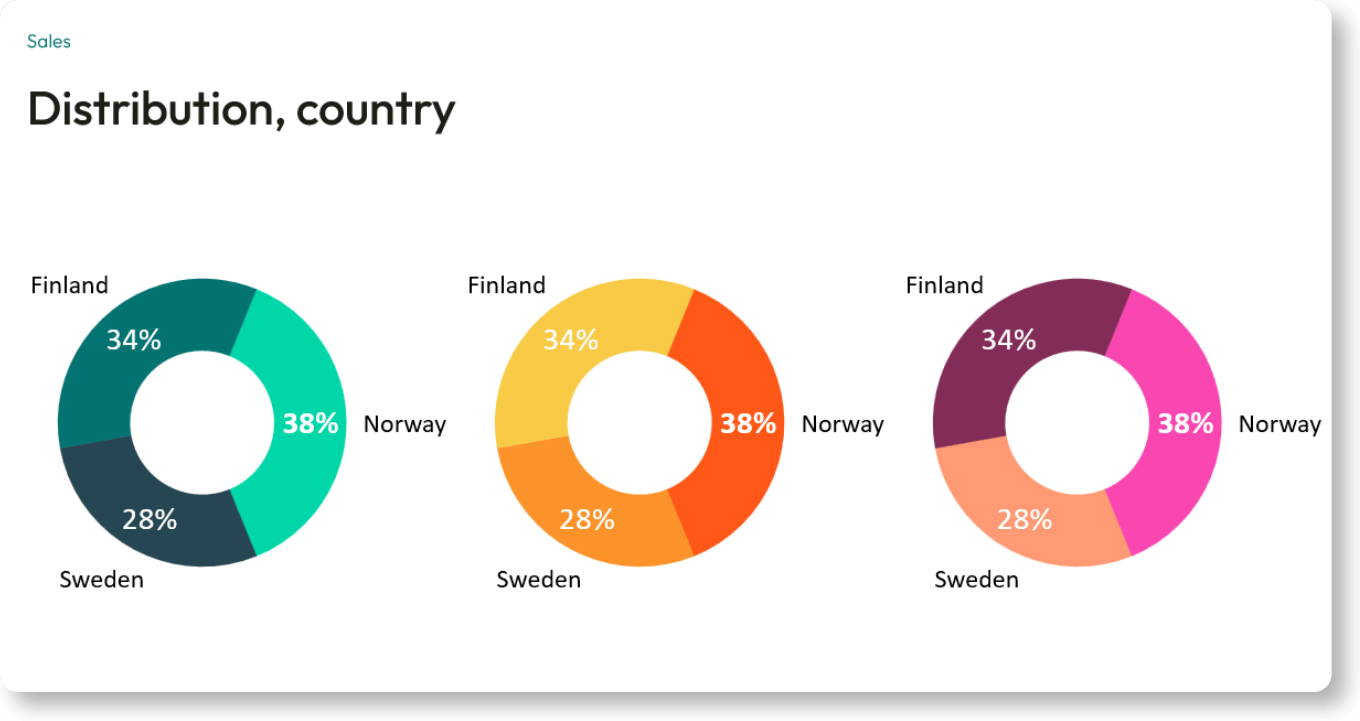
Apply company standards automatically across every presentation and slide generated. Grunt AI uses your approved fonts, colors, layouts, and brand assets by default — ensuring every output stays consistent, polished, and on-brand.
Brand consistency, without manual formatting work.
Connect your live Excel models directly to PowerPoint. Grunt AI builds your financial slides in bulk and keeps every chart perfectly formatted. When the numbers change, update your entire deck with one click. You get total accuracy and hours back for actual analysis.

Turn raw data into clear presentations in a fraction of the time. Grunt AI builds your charts and layouts in bulk, directly in PowerPoint. Every slide is on-brand and stays fully editable. Keep your momentum and focus your intelligence on the actual analysis.

Grunt lets you select your transaction data and generate multiple charts and tables at once. Every asset stays connected to your live Excel models. When deal terms change at the last minute, you can update your entire deck with one click. Spend your time evaluating the deal, not aligning boxes.

Build client-ready presentations faster. Grunt AI generates multiple charts and layouts simultaneously, right inside PowerPoint. Every slide stays perfectly on-brand and fully editable. Deliver polished, data-driven decks with absolute reliability, giving you more time to focus on strategic advisory.

Equip your teams with a native PowerPoint tool that accelerates work. Grunt AI connects directly to live Excel data to build presentation assets in bulk. Outputs stay fully editable and strictly adhere to enterprise security standards. Faster company-wide reporting with zero new platforms to manage.

-1.svg)
Grunt has established an information security management system based on ISO 27001 requirements, including documented policies, risk management, security controls, training, incident management, monitoring, and review processes.
-1.svg)
Security is built into Grunt’s development process through peer-reviewed changes, automated testing, static code analysis, dependency monitoring, QA validation, and controlled release approvals.
-1.svg)
Customer data is not used by Grunt or third-party providers to train AI models or improve external services. Third-party access is limited to what is strictly necessary for the contracted service.
-1.svg)
Customer and system data is protected with encryption in transit and at rest. Data in transit uses TLS 1.2/1.3, and encryption keys are managed through Azure Key Vault.
-1.svg)
Grunt data is processed and retained in the EU/EEA on Microsoft Azure. Grunt’s cloud infrastructure is primarily used for license validation and optional online functionality.
-2.svg)
Grunt uses SonarCloud, GitHub Dependabot, GitHub Actions, Vanta monitoring, and regular external penetration testing to identify, prioritize, remediate, and verify security findings.

.jpg?width=2000&name=Milj%C3%B8bilder_sprint26235%20(1).jpg)